





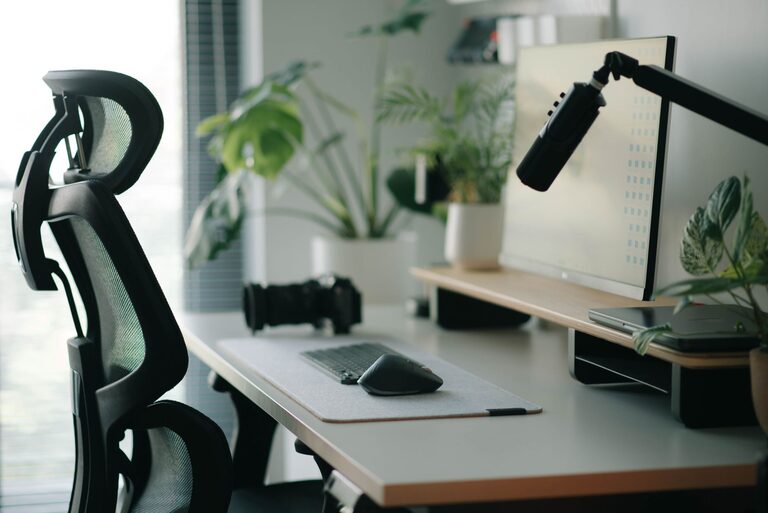




Desk Setup Tips for Focus and Comfort
Creating a desk setup that supports both focus and comfort is essential for anyone who spends significant time working or studying at a desk. Whether you’re working from home, attending online classes, or managing daily tasks, a well-organized and ergonomic space can improve your productivity and overall well-being.
In this post, we’ll explore practical tips to help you design a desk setup that promotes concentration while keeping you comfortable throughout the day.
Why Your Desk Setup Matters
Your work environment plays a key role in how efficiently and comfortably you can get things done. An optimized desk setup can:
– Reduce physical discomfort like back or neck pain
– Minimize distractions by organizing your tools and materials
– Boost your focus with proper lighting and ergonomics
– Encourage healthier habits like good posture and movement breaks
Let’s dive into actionable ideas for making your workspace a better place to work and create.
Choose the Right Desk and Chair
Desk Height and Surface
Your desk should allow your forearms to rest comfortably parallel to the floor when typing or writing. The standard desk height ranges between 28 and 30 inches, but adjustable desks can provide even better customization.
A clean, spacious surface gives you room to organize your essentials without clutter. Consider desks with built-in storage or add organizers to keep things tidy.
Ergonomic Chair
Investing in a chair that supports your lower back and encourages good posture pays off. Look for chairs with adjustable seat height, lumbar support, and armrests. Sit with your feet flat on the floor, and thighs parallel to the ground to avoid strain.
If you don’t have an ergonomic chair, using a cushion or lumbar pillow can help improve posture.
Optimize Monitor and Screen Placement
Placing your computer monitor correctly reduces eye strain and neck pain.
– Position your monitor so the top of the screen is at or just below eye level.
– Keep the screen about an arm’s length away.
– Reduce glare by placing the monitor perpendicular to windows or light sources.
If you use a laptop, consider a laptop stand paired with an external keyboard and mouse to achieve the right height and improve comfort.
Enhance Lighting for Focus and Comfort
Good lighting reduces eye fatigue and creates a welcoming workspace.
– Use a combination of natural light and adjustable desk lamps.
– Avoid harsh overhead fluorescent lights or direct screen glare.
– Consider daylight-balanced bulbs (around 5000K) to mimic natural light.
If possible, position your desk near a window for ample daylight, but use blinds or curtains to control brightness.
Organize Your Workspace
A clutter-free desk helps maintain mental clarity and focus.
– Keep only frequently used items on your desk surface.
– Use trays, drawers, or desk organizers to store pens, papers, and accessories.
– Develop a system for managing paperwork, mail, and notes to avoid buildup.
Regularly declutter and tidy your workspace to maintain a productive environment.
Incorporate Personal Comfort Items
Adding a few comfort touches to your desk setup can improve your mood and concentration.
– Use a wrist rest or ergonomic mouse pad to reduce strain.
– Keep a water bottle nearby to stay hydrated.
– Add a small plant to bring in a bit of nature and improve air quality.
– Use noise-canceling headphones or soft background music to block distractions.
Establish Healthy Work Habits
Your desk setup can support habits that boost focus and comfort throughout the day.
– Take short breaks every hour to stretch or stand.
– Use a timer or app to follow the Pomodoro Technique (working in focused intervals).
– Practice good posture by periodically checking your sitting position.
– Manage cables and power cords to avoid trips and tangles.
Consider Standing or Adjustable Desks
For some, alternating between sitting and standing can improve energy and reduce discomfort.
– Standing desks or sit-stand converters let you switch positions easily.
– When standing, keep your elbows at a 90-degree angle and avoid locking your knees.
– Use a supportive mat to reduce foot fatigue.
Start slowly by standing for short periods and gradually increase as comfortable.
Final Thoughts
A desk setup that balances focus and comfort isn’t about expensive gear—it’s about thoughtful organization, ergonomic choices, and creating an environment that encourages productivity without strain. Small adjustments like proper chair height, good lighting, and removing clutter can make a big difference.
Experiment with these tips to find what works best for you, and enjoy a workspace that supports your goals and well-being every day.